Alerts that
route themselves.
Set conditions once. Spike handles the
routing, suppression, reassignment, and
escalation automatically
Trusted by
100+ companies
Trusted by Accenture, Neat, Wolters Kluwer, Chalo, Webpros, and 100+ other companies.





Every action, right
when you need it.
Every rule you set runs silently in the background. The right action happens the moment it's needed.
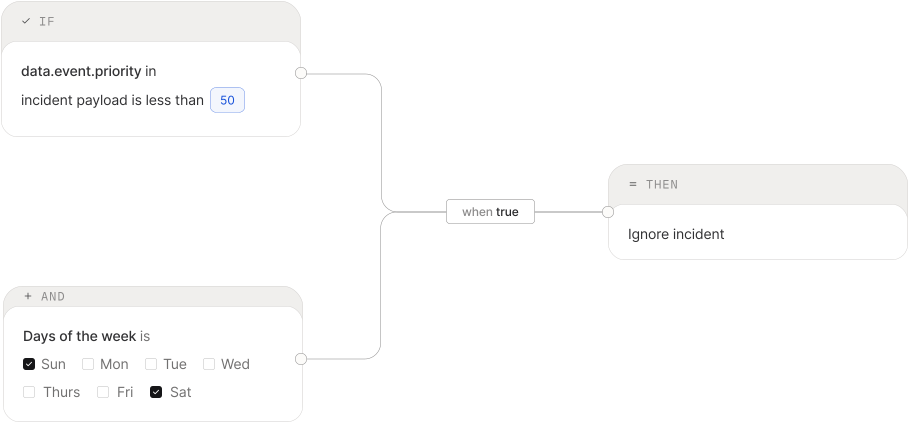
Weekend alerts
Route low-priority alerts to a lighter on-call over Saturday and Sunday. No weekend noise for the whole team.
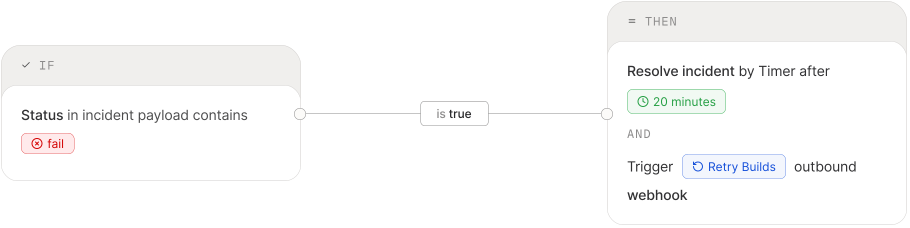
CI/CD failures
Resolve on a timer and retry the build through an outbound webhook. No human needed for known flaky pipelines.
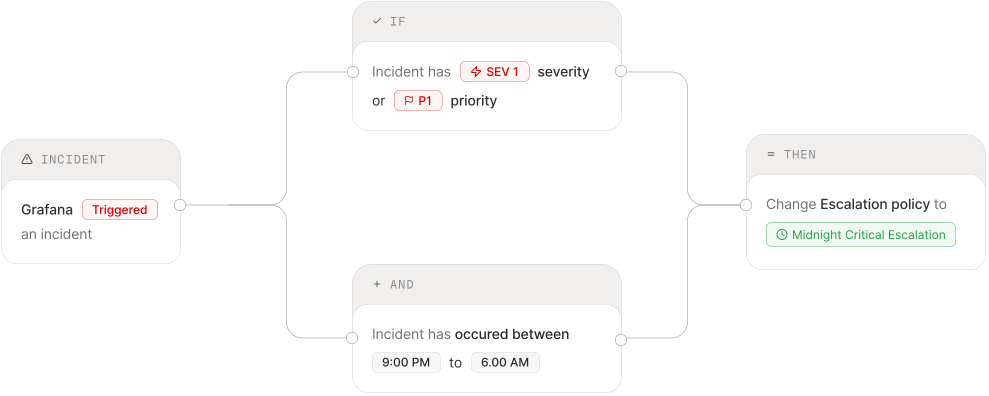
P1 priority
Route critical alerts straight to a dedicated P1 escalation policy, skipping the standard on-call queue.
Ignore alerts
Suppress alerts that never need action. Keep the queue clean without touching your monitoring config.
Your own automation
Fire a Lambda, restart a server, or trigger a GitHub workflow through a webhook as part of your response.
Recurring noise
Auto-resolve alerts you've seen a hundred times. Set a rule once and stop paging people for known non-issues.
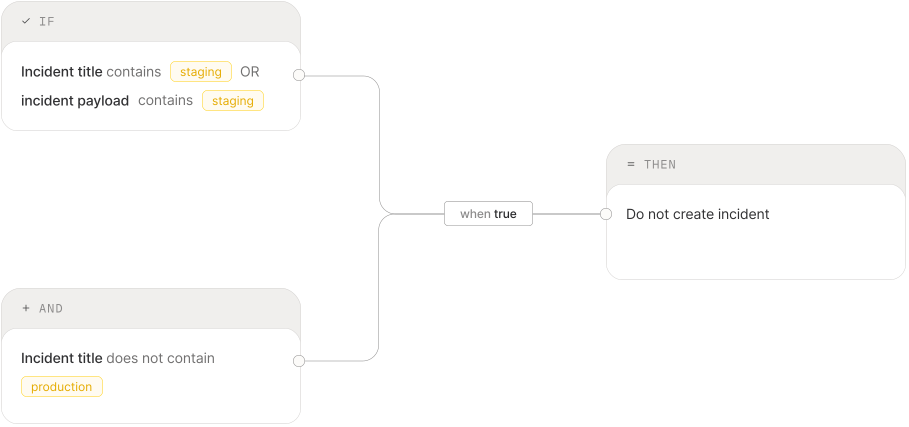
Suppress incidents
of low importance
When an incident occurs, Spike intelligently determines whether it's a new or repeated incident,
Reassign to the
right escalation policy
When an incident occurs, Spike intelligently determines whether it's a new or repeated incident,
Reroute high severity
incidents instantly.
When an incident occurs, Spike intelligently determines whether it's a new or repeated incident,
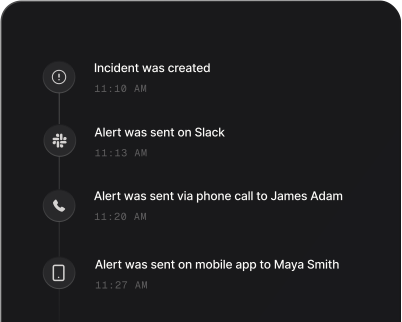
Every action,
logged in real time
From the moment an incident is created to the final resolution, Spike tracks every step.