Incidents are
Inevitable
And we help you resolve them faster
Trusted by
100+ companies
Trusted by Accenture, Neat, Wolters Kluwer, Chalo, Webpros, and 100+ other companies.





On-call management,
done right.
Rotations, overrides, and personal calendars sync, with Slack and Teams alerts
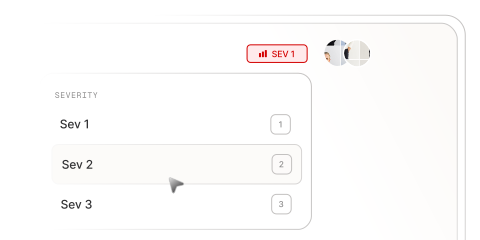
Severity and Priority
Placeholder text for the description
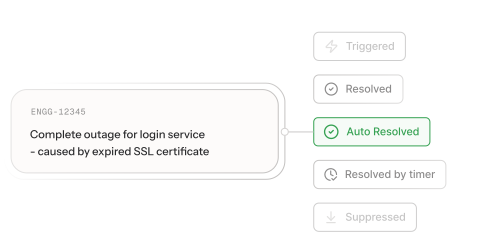
Resolve, resolve by timer
Placeholder text for the description
Incidents handled
0 Mn
Critical incidents
0 K
Complete transparency
with Activity log
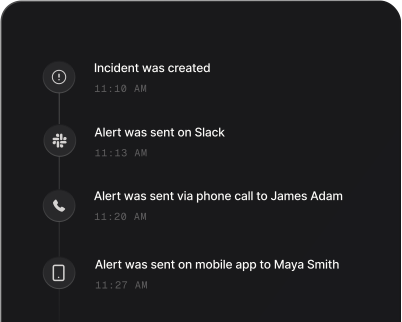
Every alert, action, and resolution — logged automatically and trace back any incident's full
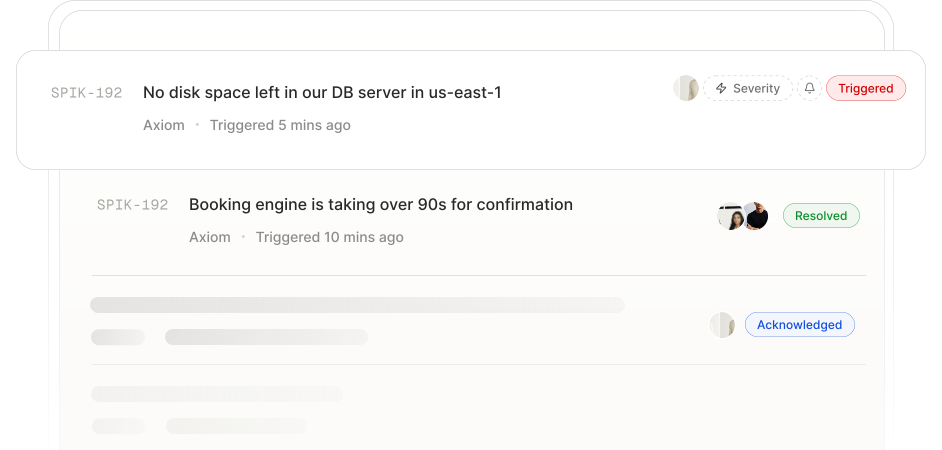
How Spike deals
with incidents
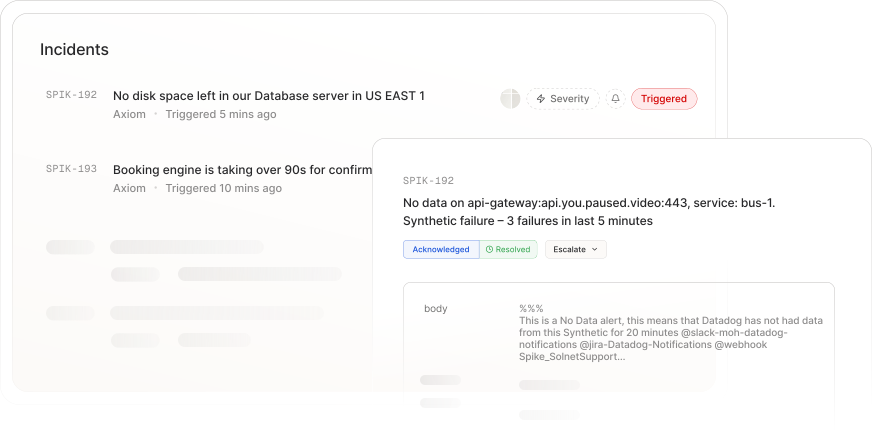
When an incident occurs, Spike intelligently determines whether it's a new or repeated incident,
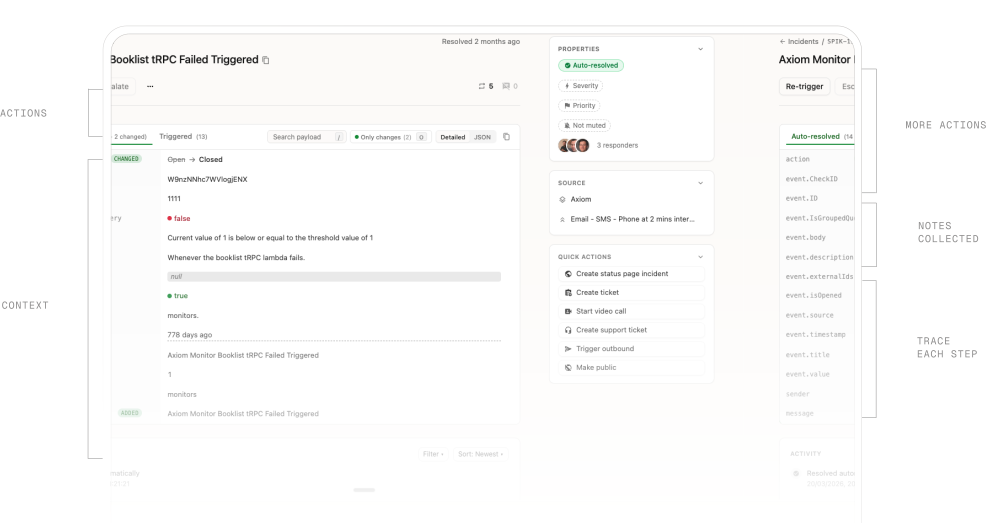
Auto Resolve incidents
Spike listens for recovery signals and automatically resolves the incident - stopping alerts instantly.
Less noise with auto suppression
Identifies incoming alerts with open incidents and suppresses duplicates. Less noise, more focus.
Repeated incidents
Spike tracks incidents across occurrences and detects patterns, so you can spot what keeps breaking.
How Spike deals with incidents
When an incident occurs, Spike intelligently determines whether it's a new or repeated incident,
Complete transparency
with Activity log
Every alert, action, and resolution — logged automatically and trace back any incident's full

Every action, right
when you need it.
Everything you need to respond, escalate, and communicate is built into the incident.
Status page
Link an incident and it reflects on your status page instantly. No manual updates needed.
Create a ticket
Open a ticket on Jira, Linear, ClickUp, or Shortcut directly from the incident.
Start a video call
Paste a link or launch a Google Meet call with your team without leaving the incident.
Support ticket
Create a support ticket on Freshdesk, Zendesk, or SupportPal in one click.
Trigger outbound
Fire an external script, restart a server, or run a Lambda function as part of your response.
Public incident page
Make incident details available publicly so your users and stakeholders stay informed.
Alerts you
can't miss
Get alerts where it matter: Phone, Chat, or Mobile app. Even with Do Not Disturb on.
ALERTING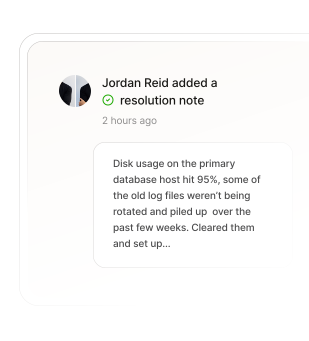
Phone call
Phone call that passes DND
Alert channels
Slack, SMS, WhatsApp, Teams
Phone call
Push notifications from mobile app
Every action,
logged in real time
From the moment an incident is created to the final resolution, Spike tracks every step.